

The Battle of CMS Platforms: Finding Your Perfect Website builder
Introduction

The digital landscape offers numerous content management systems (CMS) and website building platforms, each with unique features and capabilities. For businesses and individuals looking to establish their online presence, choosing the right platform is crucial. This article explores popular website solutions, comparing their strengths and weaknesses, while examining automation tools that can streamline the website development process.
WordPress vs Drupal: Titans of Content Management
WordPress and Drupal stand as two of the most established CMS platforms, but they serve different needs and user bases.
Market Dominance: WordPress’s Impressive Reach
WordPress powers approximately 43% of all websites on the internet, making it the most widely used CMS platform globally. As of early 2025, over 455 million websites use WordPress, showcasing its immense popularity and market dominance.
Comparison Table: WordPress vs Drupal
| Feature | WordPress | Drupal |
|---|---|---|
| Ease of Use | User-friendly interface, suitable for beginners | Steeper learning curve, better for developers |
| Customization | Thousands of themes and plugins | Highly flexible but requires technical knowledge |
| Security | Regular updates, vulnerable to attacks if not maintained | Enterprise-level security, more robust by default |
| Scalability | Good for small to medium sites | Excellent for large, complex websites |
| Community | Massive community support | Smaller but dedicated developer community |
| Cost | Free (hosting and premium themes/plugins cost extra) | Free (hosting and development costs extra) |
Pros and Cons of WordPress
Pros:
- Extremely user-friendly for beginners
- Vast library of plugins and themes
- Large community for support
- Regular updates and improvements
- Excellent for blogging and content-focused websites
Cons:
- Can be vulnerable to security issues if not properly maintained
- Performance can suffer with too many plugins
- May require frequent updates
- Can be overkill for very simple websites
Pros and Cons of Drupal
Pros:
- Superior security features
- Excellent for complex, large-scale websites
- Highly customizable and flexible
- Better handling of custom content types and taxonomies
- Good for websites with complex user permissions
Cons:
- Steep learning curve
- Fewer themes and plugins compared to WordPress
- Development typically requires professional help
- Updates can be complex
Blogify.ai: AI-Powered Content Creation for Your CMS
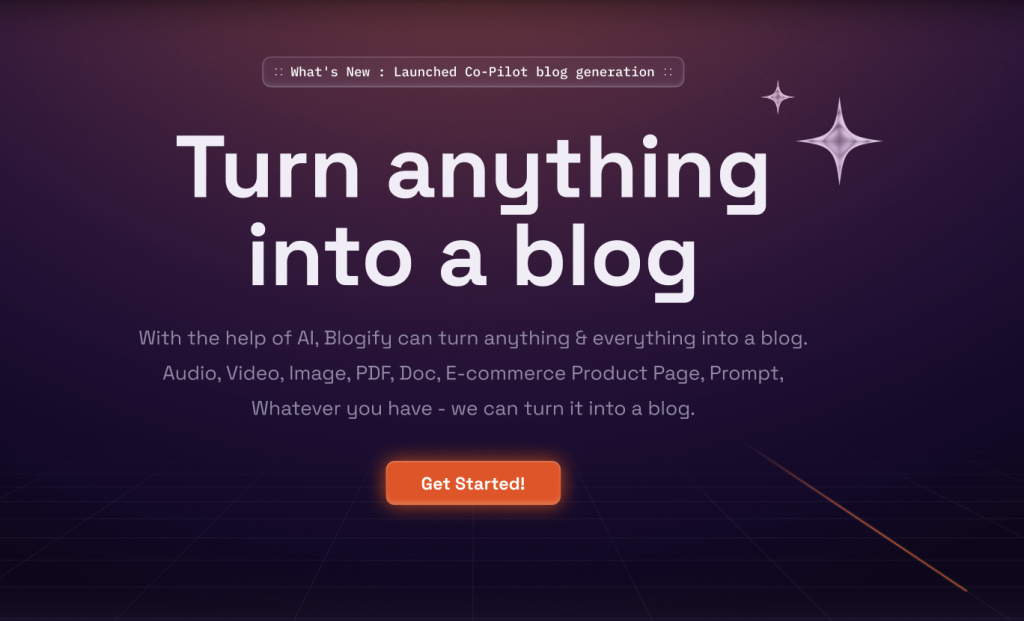
When managing a content-heavy website, keeping up with content creation can be challenging. This is where Blogify.ai becomes an invaluable tool for website owners.
What Blogify.ai Offers
Blogify.ai is an AI-powered content generation platform that integrates seamlessly with popular CMS platforms like WordPress, helping website owners:
- Generate SEO-optimized blog content automatically
- Create consistent posting schedules without burnout
- Expand content coverage across multiple topics
- Maintain a fresh website with minimal time investment
How Blogify.ai Enhances Your Website Strategy
For WordPress Users:
- Direct integration with your WordPress dashboard
- Content that matches your brand voice and style
- Built-in SEO optimization for better rankings
- Automated publishing schedules
For Other CMS Platforms:
- Export options compatible with various platforms
- Customizable formats to match your site’s requirements
- Bulk content creation for large-scale needs
Blogify.ai Pricing and Value
| Plan | Price | Features |
|---|---|---|
| Starter | $29/month | 10 articles/month, basic SEO optimization |
| Professional | $79/month | 30 articles/month, advanced SEO features, priority support |
| Agency | $199/month | 100 articles/month, white-label options, API access |
Whether you’re running a personal blog or managing multiple client websites, Blogify.ai offers a solution to keep your content fresh and engaging without the constant pressure of content creation.
Try Blogify.ai for free
Joomla vs WordPress: The Middle Ground Option
Joomla positions itself between WordPress and Drupal in terms of complexity and capabilities.
Comparison Table: Joomla vs WordPress
| Feature | WordPress | Joomla |
|---|---|---|
| Market Share | 43% of all websites | About 2% of all websites |
| User-Friendliness | Very beginner-friendly | Moderate learning curve |
| Content Management | Excellent for blogs and simple sites | Better for complex content structures |
| Extensions | Over 59,000 plugins | About 6,000 extensions |
| Community Support | Massive community | Smaller but active community |
| E-commerce Capability | Via plugins (WooCommerce) | Native features plus extensions |
Summary of Joomla
Joomla offers a middle ground between WordPress’s simplicity and Drupal’s power. It’s a good choice for users who need more built-in functionality than WordPress offers but aren’t ready for Drupal’s complexity.
Squarespace Alternatives: Beyond the Subscription Model
Squarespace has gained popularity for its beautiful templates and all-in-one solution, but many users seek alternatives that offer more flexibility or different pricing models.
Top Squarespace Alternatives
- WordPress
- More customizable and scalable
- One-time costs rather than subscription model (except for hosting)
- Requires more technical knowledge
- Wix
- User-friendly drag-and-drop interface
- Comprehensive app market
- Similar subscription model to Squarespace
- Dorik
- Powerful drag-and-drop website builder
- No coding required yet highly customizable
- Flexible pricing model
- Webflow
- Professional-grade design capabilities
- More control over HTML/CSS
- Better for designers who want code-level precision
- Shopify
- Superior e-commerce capabilities
- Extensive app ecosystem
- Focused on online stores
Dorik: The Flexible Website Builder for Non-Developers
Among Squarespace alternatives, Dorik stands out as a powerful yet user-friendly option that deserves special attention.
What Makes Dorik Special
Dorik offers a unique combination of simplicity and power that makes it attractive for various use cases:
- True drag-and-drop building without code requirements
- Responsive design that looks perfect on all devices
- Fast loading speed for better user experience and SEO
- Affordable pricing compared to other subscription platforms
Dorik Pricing Plans
| Plan | Price | Features |
|---|---|---|
| Free | $0/month | 1 website, Dorik branding, Limited elements |
| Basic | $29/year | 3 websites, No Dorik branding, All elements |
| Pro | $49/year | 10 websites, Client collaboration, Animations |
| Agency | $99/year | Unlimited websites, White-label options, Priority support |
Ideal Use Cases for Dorik
Dorik excels for:
- Small business websites
- Portfolios and personal sites
- Landing pages and marketing campaigns
- Startup websites with limited budgets
- Freelancers managing multiple client sites
With its intuitive interface and comprehensive set of features, Dorik provides an excellent balance between ease of use and design flexibility.
TRY DORIK NOW
Pros and Cons of Moving from Squarespace
Pros:
- Potentially lower long-term costs
- Greater customization options
- No limitations on functionality
- Full ownership of your website
Cons:
- Higher learning curve
- May require more maintenance
- Need to manage hosting separately
- Responsibility for security updates
Webflow vs WordPress: Designer’s Choice vs Community Favorite
Webflow has emerged as a powerful contender, especially for designers who want precise control over their websites.
Comparison Table: Webflow vs WordPress
| Feature | WordPress | Webflow |
|---|---|---|
| Primary Focus | Content management | Visual design |
| Learning Curve | Low to moderate | Moderate to high |
| Design Control | Theme-dependent | Pixel-perfect control |
| Hosting | Self-hosted or WordPress.com | Webflow hosting |
| Pricing | Free + hosting costs | Subscription model |
| SEO Capabilities | Excellent with plugins | Strong built-in features |
| Community Size | Massive | Growing but smaller |
Who Should Choose Webflow?
Webflow is ideal for:
- Professional designers who want code-level control without writing code
- Agencies building client websites
- Projects requiring complex animations and interactions
- Users willing to invest in learning a powerful tool
Who Should Choose WordPress?
WordPress is better for:
- Content-heavy websites like blogs and news sites
- Users seeking the largest ecosystem of plugins and themes
- Projects with limited budgets
- Websites needing frequent content updates by non-technical users
Zapier Pricing: Automating Your Website Workflows
Zapier serves as a vital tool for website owners looking to automate processes between different platforms and services.
Zapier Pricing Plans (as of April 2025)
| Plan | Price | Features |
|---|---|---|
| Free | $0/month | 5 Zaps, 100 tasks/month, Single-step Zaps |
| Starter | $19.99/month | 20 Zaps, 750 tasks/month, Multi-step Zaps |
| Professional | $49/month | Unlimited Zaps, 2,000 tasks/month, Advanced features |
| Team | $99/month | Unlimited Zaps, 50,000 tasks/month, Team collaboration |
| Company | $299/month | Unlimited Zaps, 100,000 tasks/month, Premium support |
How Zapier Enhances Website Functionality
Zapier can connect your website to over 3,000 apps, enabling automations such as:
- Adding new WordPress posts to social media automatically
- Sending form submissions to your CRM or email marketing platform
- Creating calendar events from bookings on your website
- Syncing e-commerce orders with accounting software
- Adding new customers to your email list
Automated Website Design: The Future of Web Development
As AI and automation technologies advance, automated website design tools are becoming increasingly sophisticated, offering new possibilities for website creation.
Current State of Automated Website Design
Several platforms are pushing the boundaries of what’s possible with automated design:
- AI Website Builders
- Platforms like Wix ADI and Grid.io use AI to generate websites based on user inputs
- Can create basic sites in minutes with minimal user intervention
- Template Automation
- Systems that automatically adapt templates based on content and branding
- Streamline the design process while maintaining quality
- Content-Driven Design
- Tools that analyze content to suggest optimal layouts and designs
- Ensure design decisions enhance rather than hinder content consumption
Pros and Cons of Automated Website Design
Pros:
- Significant time savings
- Lower development costs
- Accessibility for non-designers
- Consistent design implementation
Cons:
- Limited uniqueness and differentiation
- Potential for generic-looking results
- Less control over fine details
- May not capture brand personality effectively
Conclusion: Choosing the Right Platform for Your Needs
The best website platform depends entirely on your specific needs, technical capabilities, and long-term goals:
- WordPress remains the versatile champion, suitable for most websites with its balance of usability and flexibility
- Drupal excels for complex, high-security enterprise websites
- Joomla offers a middle ground with solid built-in functionality
- Dorik provides an excellent balance of simplicity and customization
- Webflow provides designer-focused precision and control
- Blogify.ai can enhance any platform with automated content creation
- Automated solutions continue to evolve, offering time-saving alternatives
When making your choice, consider factors such as:
- Your technical skill level
- Budget constraints
- Timeline for launch
- Long-term maintenance needs
- Specific functionality requirements
- Growth expectations
By carefully evaluating these aspects against the strengths of each platform, you can select the solution that will best serve your website needs now and in the future.
